NewPutaway 1.0 for macOS Tahoe

Your messy folder, sorted in seconds.

Point Putaway at your Desktop and watch every loose file lift off it and pile up in the app. Putaway looks inside each one (screenshots, receipts, screen recordings, installers), files it where it belongs, and leaves you four tidy folders. You check the plan; one click makes it real.

Pay once, no subscriptionNative macOS app, runs entirely on your MacmacOS 26 Tahoe
640loose files in a typical Downloads folder
~10 secto sort them all, start to finish
16folders, named the way you'd name them
0 bytesleave your Mac

Every file, filed where you'd look for it

It knows a selfie from a screenshot.

Other sorters stop at the file extension, so every .png ends up in one giant "Images" folder. Putaway looks at what's actually in the file and puts it where you'd go looking for it.

Sorted by what's in the file, not what it's called

Receipts go with receipts, even when one is a .jpg and the other a .pdf. Screen recordings get split from the clips you saved.

Screenshot.png
Selfie.heic
Receipt.jpeg
Recording.mov
Installer.dmg
Invoice.pdf

You see the plan first

Every file shows up in its new folder before anything happens on disk. Open any folder to check it.

Downloads640 files → 16 folders

Changed your mind?

⌘Z puts every file back exactly where it was and removes the folders Putaway made, even after the move.

⌘Z

Stays on your Mac

Photos are read by on-device Vision. No account, no cloud, no uploads.

0bytes uploaded

Any folder you own

Tidy Downloads in one click, drag any folder onto the window, or pick one from Finder.

Three steps. One of them is watching.

1

It starts right on your desktop

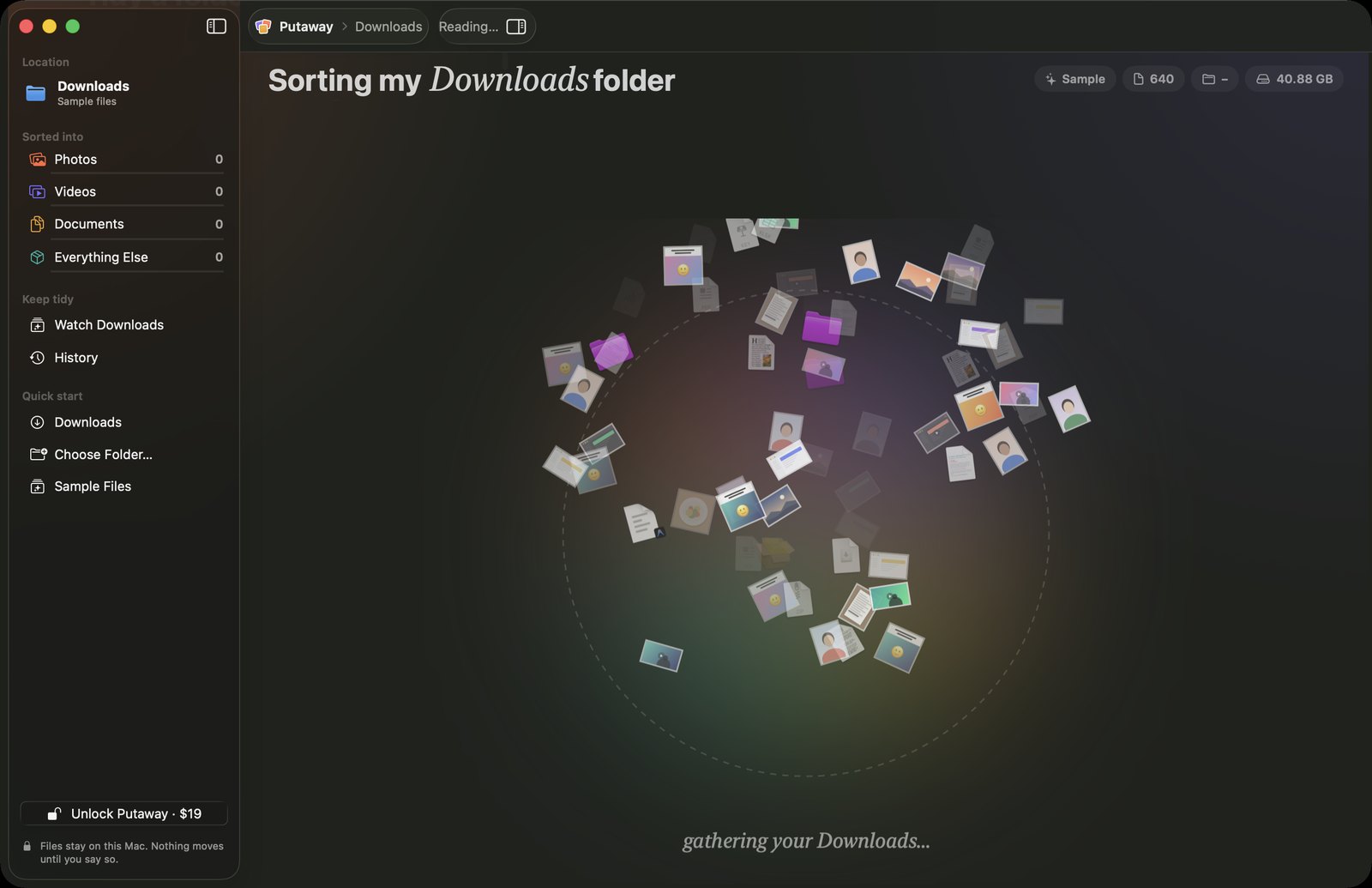
Pick your Desktop, Downloads or any folder. A wave rolls out from the window, every file lifts off and swirls into one big pile.

⌘O open a folder · ⇧⌘D tidy Downloads

Files gathering into one big pile in the Putaway window
2

Look closer, then sort

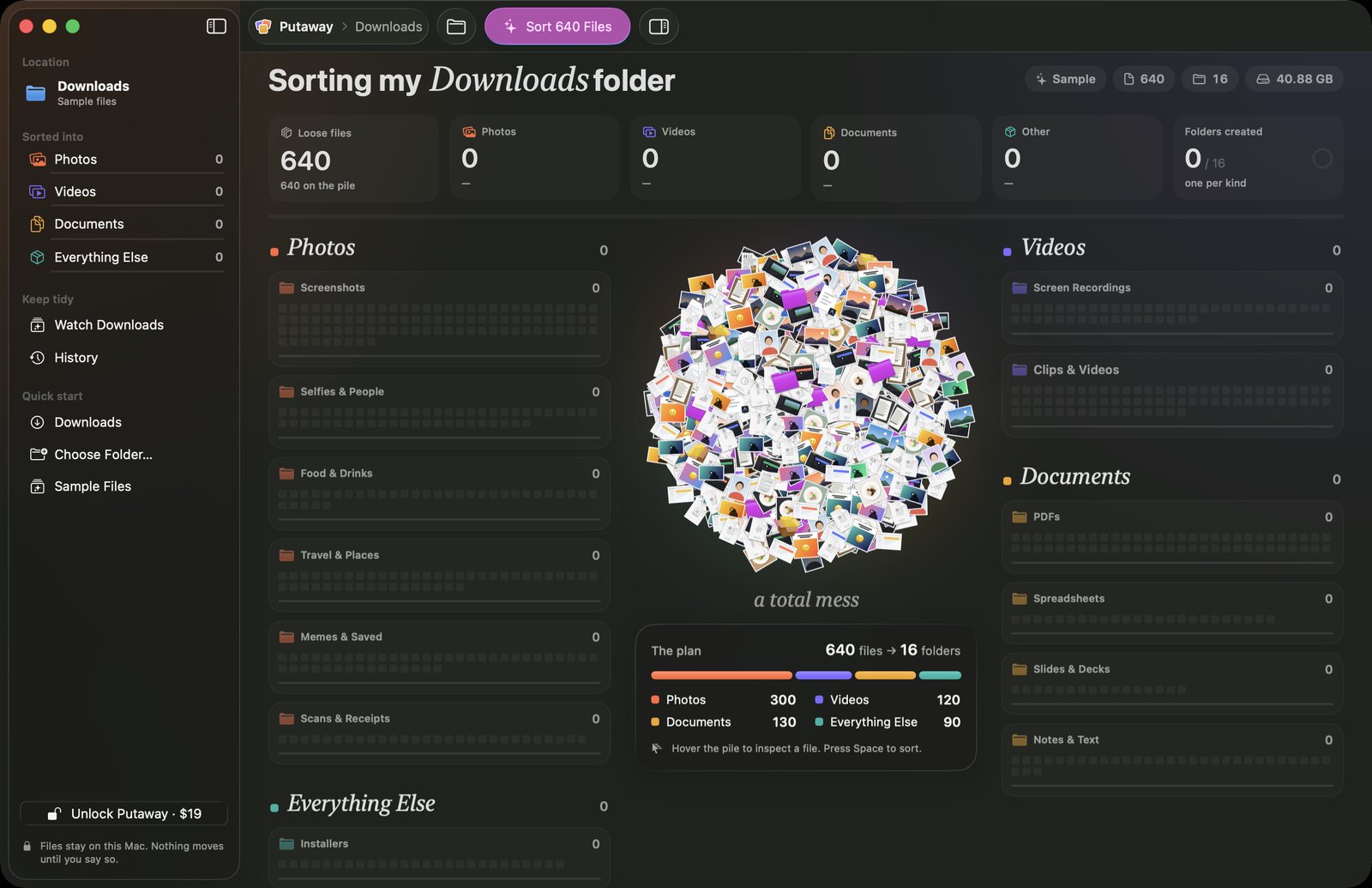
The pile settles and the plan appears: how many files, which folders. Hover any file to see what it is and where it's headed, then press Sort and watch them fly.

Space or ⌘R to sort

The pile with stat tiles, folder cards and the plan: 640 files into 16 folders
3

Move, or change your mind

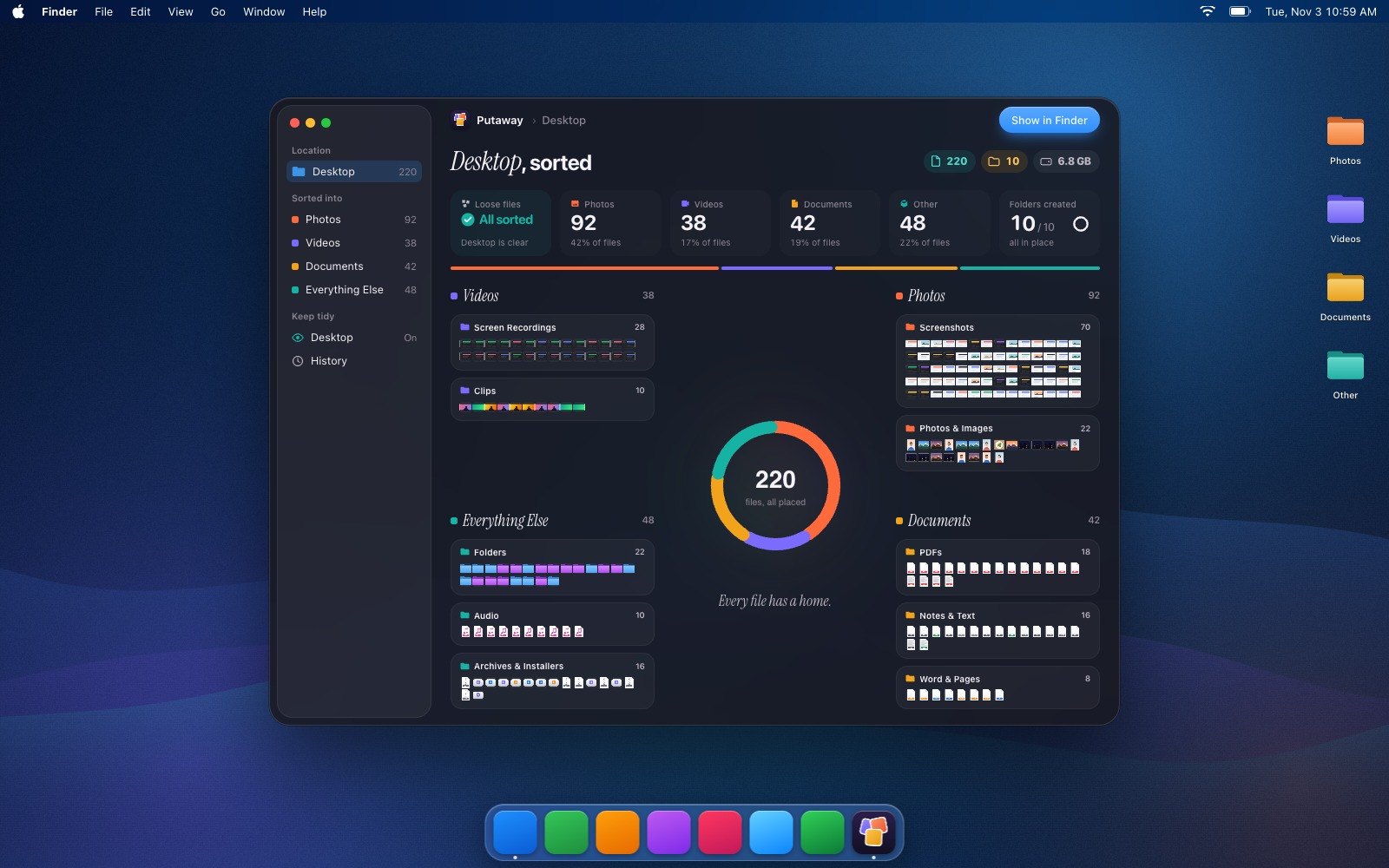
Happy with it? Move makes it real, and your desktop is left with four tidy folders. Not happy? Undo puts every file back, before or after the move.

⌘↩ move · ⌘Z undo

A clean desktop with just Photos, Videos, Documents and Other folders, and Putaway showing every file sorted

Pay once. Tidy forever.

No subscription. Buy it here and get a license key straight away, or get it from the Mac App Store if you'd rather. Either way it's yours for good.

On this websiteInstant license key by email, on up to 3 Macs. Payments handled by Polar.
Mac App StoreBought and updated through your Apple Account.
Putaway for Mac
Launch price
$19 $29
one-time purchase · yours to keep
  • Unlimited sorting, any folder
  • Sorts by what's in each file
  • Review before moving, undo anytime
  • Runs entirely on your Mac
  • Use it on up to 3 Macs
  • Lifetime access & updates
  • Native macOS app
  • iPhone & iPad appComing soon

or

Before you download.

Does Putaway upload my files anywhere?

No. Putaway reads and sorts everything on your Mac. It doesn't need an account or an internet connection to sort.

What if the plan isn't right?

Nothing moves until you press Move. Click any folder card to see every file going into it. If you don't like the plan, Undo Sort sends everything back to the pile. After moving, ⌘Z puts every file back where it was.

Will it touch the folders I already made?

Loose folders are moved, whole, into Other › Folders. Putaway never looks inside them or changes what's in them, and it leaves its own Photos, Videos, Documents and Other folders alone on later runs.

How big a folder can it handle?

Putaway sorts the newest 1,000 items in one go and tells you if there are more. Run it again to sort the rest.

Can I stop it looking inside my photos?

Yes. Turn off “Look inside photos” in Settings and Putaway sorts images by file type and name only. When it's on, it uses Apple's on-device Vision framework.

Which Macs does it run on?

Any Mac running macOS 26 Tahoe or later, on both Apple silicon and Intel.

Is it a subscription?

No. $19 once, for up to 3 Macs, with lifetime access and updates. An iPhone and iPad app is coming soon.
Your Downloads folder has waited long enough.